Solar Panels
 Solar Controllers
 Batteries
 Inverters
 Mains Chargers
 DC-DC Chargers
 Cables/Accessories
 Power Converters
 Monitoring
 Kits
Kits
 By Application
 By Brand




































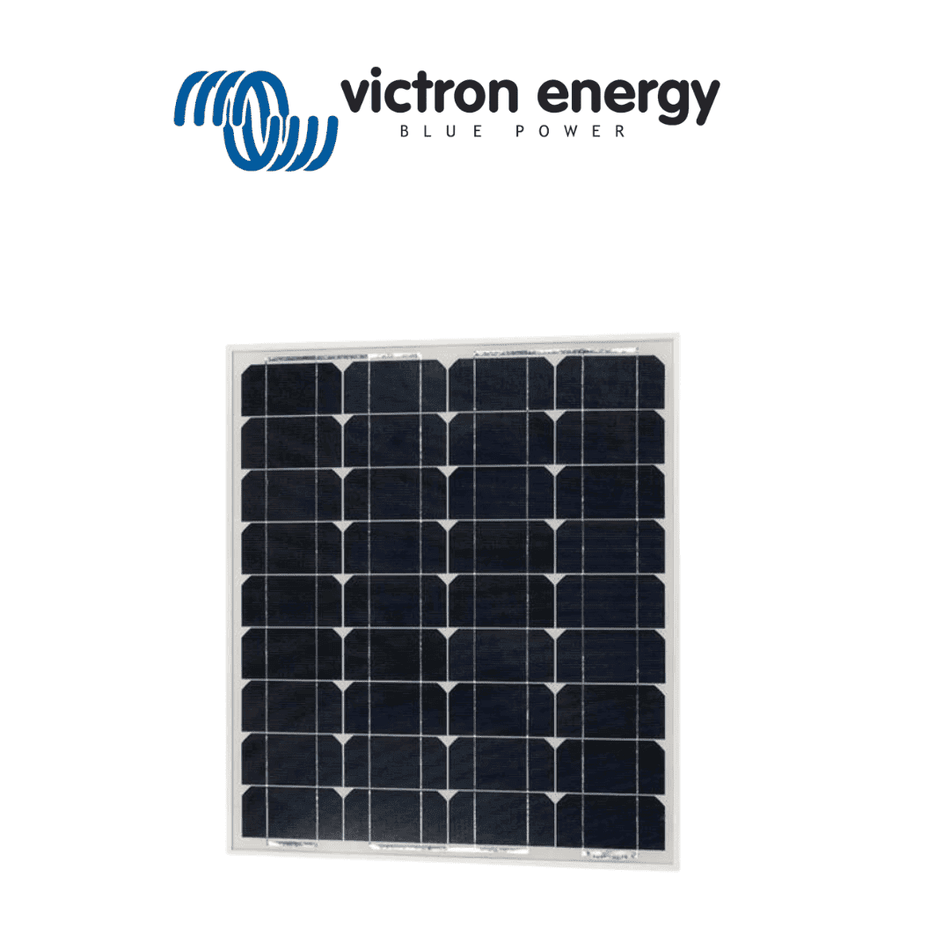
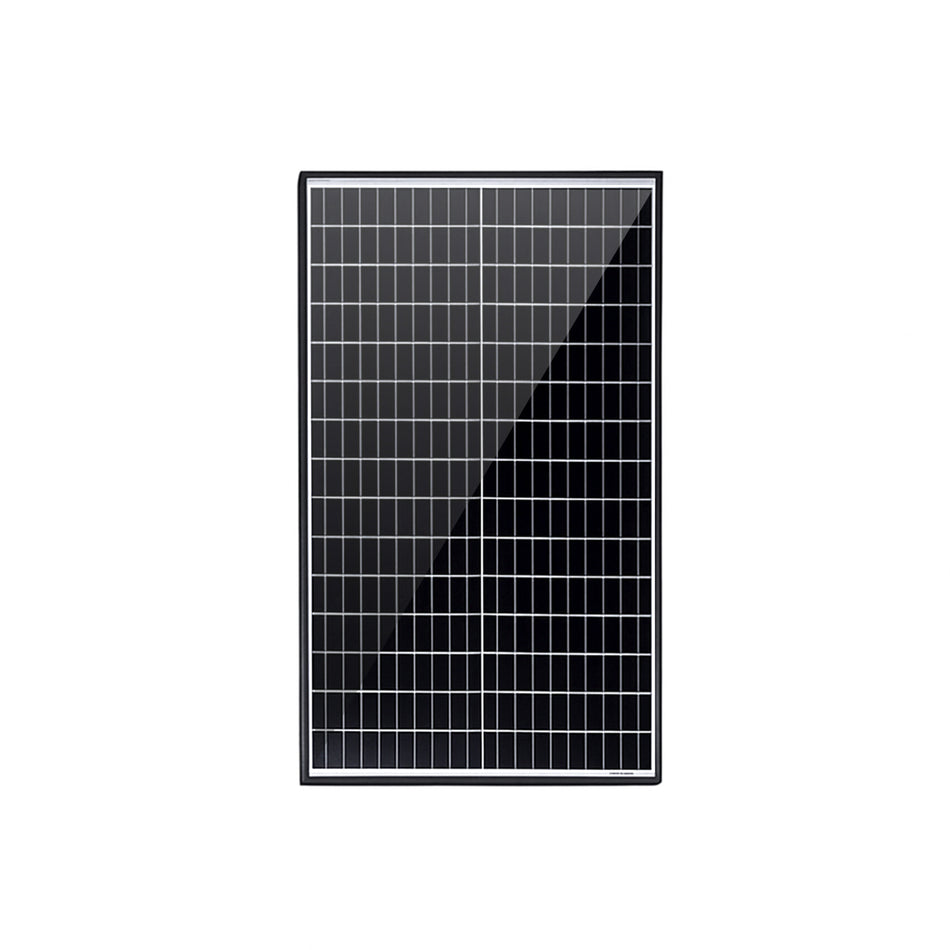
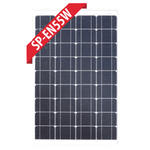
Enerdrive 55W Silver Frame Monocrystalline Fixed Solar Panel
Enerdrive 55W Silver Frame Monocrystalline Fixed Solar Panel
Maximise your off-grid energy collection with highly efficient monocrystalline solar cells housed in a rugged silver anodised aluminium frame - 840 x 541 x 35mm
Regular price
$153.00
Availability:
In Stock at Enerdrive Warehouse
 View all products from Enerdrive
Guaranteed Safe and Secure Checkout
0
DESCRIPTION
Dependable Off-Grid Energy with the Enerdrive 55W Silver Frame Monocrystalline Fixed Solar Panel
High-Performance Monocrystalline Solar Power
The Enerdrive 55W Silver Frame Monocrystalline Fixed Solar Panel provides a robust and highly efficient charging solution for 12V off-grid systems. Whether you are building a power system for a caravan, camper trailer, 4WD canopy, or marine vessel, capturing consistent solar energy is critical to keeping your batteries topped up and your appliances running. Featuring advanced monocrystalline cell technology, this panel delivers excellent energy conversion rates. Monocrystalline cells are widely recognised for their strong performance in varied lighting conditions compared to older polycrystalline alternatives, ensuring you can still generate valuable power during early mornings, late afternoons, or overcast days.
Engineered for Rugged Australian Conditions
Off-grid travel often involves harsh environments, intense UV exposure, and heavy vibrations from corrugated tracks. Generic solar panels can suffer from frame flex and internal cell micro-cracking under these stresses, leading to premature power loss. This panel mitigates those risks with a heavy-duty silver anodised aluminium frame that provides exceptional structural rigidity. Paired with high-transmissivity tempered glass, the panel offers outstanding impact resistance against hail and airborne debris, ensuring reliable long-term performance across the diverse Australian landscape.
Seamless 12V and 24V System Integration
Operating with an optimal voltage profile for standard battery banks, this panel is ideally suited for 12V installations. When paired with a quality MPPT or PWM solar charge controller, it provides a highly stable charge to keep your portable fridges, lighting, and communication gear operational. By delivering a consistent and stable current, it helps extend the overall lifespan of your deep-cycle batteries. For larger energy demands, multiple panels can easily be wired in series to support 24V or 48V battery banks. This flexibility makes it an excellent building block for both small recreational setups and comprehensive remote off-grid systems.
Key Features
- High-efficiency monocrystalline solar cells for an excellent energy yield
- Sturdy silver anodised aluminium frame designed to prevent structural flex
- Impact-resistant tempered glass withstands harsh weather and debris
- Optimised voltage output for highly efficient 12V battery charging
- Easily wired in series for 24V or 48V off-grid power systems
- Built to resist intense UV and extreme temperature fluctuations
Why Choose Reliable Local Power Experts?
Building an off-grid electrical system requires components you can trust over the long term. Opting for a reputable brand like Enerdrive ensures your solar array is backed by extensive local expertise and dedicated Australian support. Instead of risking your power supply on unbranded alternatives that offer little to no after-sales service, choosing this high-quality monocrystalline panel provides genuine peace of mind. It allows you to travel further and stay off-grid longer without the constant worry of flat batteries or failing equipment.
Power Your Next Adventure
Invest in a reliable energy source for your mobile or remote power system. Add the Enerdrive 55W Silver Frame Monocrystalline Fixed Solar Panel to your setup today and experience the confidence of having a robust, high-yielding solar solution wherever your travels take you.
SPECIFICATIONS
Specifications
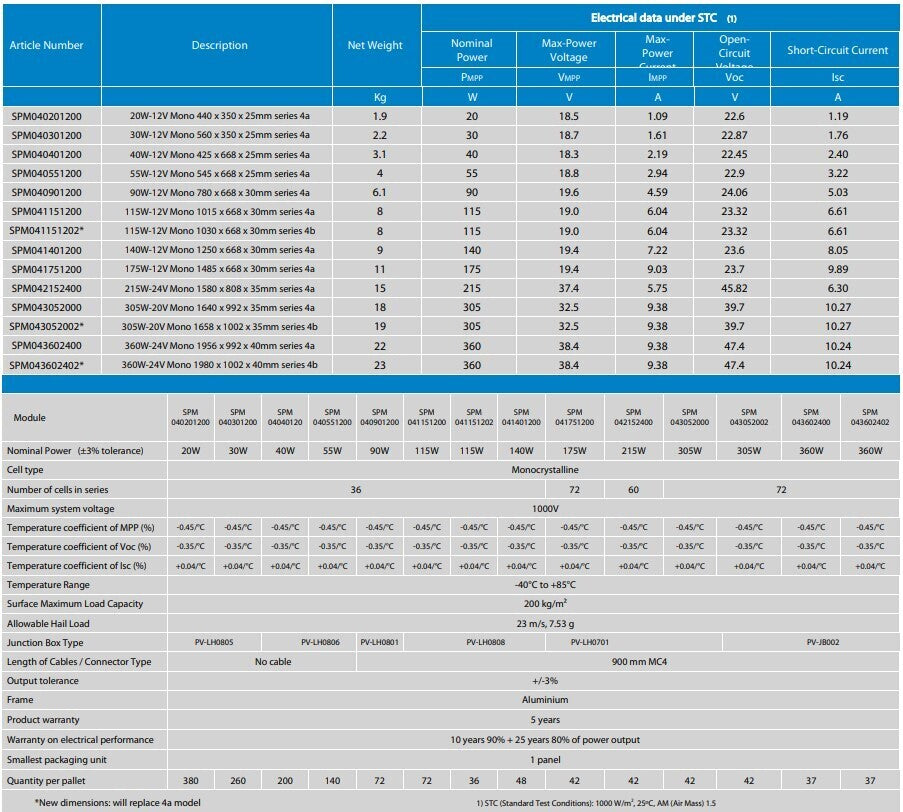
| Product | 55W Fixed Mono Solar Panel |
|---|---|
| SKU | SP-EN55W |
| Max Power Pm (W) | 55 |
| Power Tolerance (%) | ± 3% |
| Max Power Voltage Vm (V) | 18 |
| Max Power Current Im (A) | 3.06 |
| Open Circuit Voltage Voc (V) | 22.30 |
| Short Circuit Current Isc (A) | 3.73 |
| Max System Voltage (VDC) | 1000 |
| Dimensions (mm) | 840 x 541 x 35 |
| Weight (kg) | 5.5 |
| Test Conditions | 1000W/m², AM1.5, 25°C |
| Note | Specifications subject to change without notice. |
| SKU: | SP-EN55W |
| Model #: | SP-EN55W |
| MPN: | SP-EN55W |
| HS code: | 8541430010 |
| Country of origin: | CN |
| Package weight: | 8.5 kg |
| Package length: | 1.59 m |
| Package width: | 0.6 m |
| Package height: | 0.04 m |
WARRANTY
ENERDRIVE PRODUCT WARRANTY
In the unlikely event that a technical issue arises with an Enerdrive product, customers are encouraged to initially contact the Enerdrive Support Team for immediate and efficient expertise and first class product support.
Important Note: Consumer Protections
If you have purchased your product in Australia, you should be aware that:
This warranty is provided in addition to other rights and remedies held by a consumer at law. Our goods come with guarantees that cannot be excluded under the Australian Consumer Law. You are entitled to a replacement or refund for a major failure and for compensation for any other reasonably foreseeable loss or damage. You are also entitled to have the goods repaired or replaced if the goods fail to be of acceptable quality and the failure does not amount to a major failure.
If you have purchased your product in New Zealand, you should be aware that:
This warranty is supplemental to any other rights and remedies you have under the Consumer Guarantees Act 1993 NZ, unless your purchase is made for commercial purposes, in which case Enerdrive excludes all consumer guarantees implied in the Consumer Guarantees Act 1993 NZ in respect of your product.
Enerdrive warrants that its Products will be free from defects in materials and workmanship (subject to limits, and in normal conditions, as described later in this warranty) for up to 5 years from the date of purchase.
Warranty Support Team
As part of the Enerdrive warranty process you may be asked to speak with an Enerdrive Support Team member. This team assists with all technical enquiries & are there to ensure a great result is achieved every time. They will typically discover 1 of 3 possible issues:
- User Error - This is nothing to be ashamed of. Enerdrive appreciate that reading a user manual from start to finish & taking it all in is not an easy task. Enerdrive recommends every customer reads all associated user manuals. If you are still experiencing problems reach out to the Enerdrive Support Team.
- Installation Issues - The Enerdrive Support Team are highly skilled at resolving “Installation” related issues. To assist with your enquiry, you will be asked to share images of the installation and wiring of your system. An installation related issue does not usually lead to a product replacement (unless there are also defects in materials or workmanship of the product). The Enerdrive Support Team are however available to assist by offering support & guidance to both the product owner or a suitably qualified person to achieve an amicable solution.
- Product Failure - If in the unlikely event an Enerdrive product has defects in materials or workmanship (in normal conditions, as described in this warranty) and it meets the conditions as described in this warranty statement Enerdrive will arrange for the product to be repaired or replaced promptly.
Advanced Warranty Replacement Program
For a faster turn-around, and to get you up and running as quickly as possible, Enerdrive offer an “Advanced Warranty Replacement” program. This program is valid for the first 18 months of end user ownership; (i.e. The final user of the Enerdrive system). The program differs slightly depending on whether you have a credit account with Enerdrive or not.
Credit Account Customer
At your request Enerdrive will ship you a replacement product straight away and charge your account for the full cost of this replacement product. The advanced warranty replacement will be sent with a Reply-Paid satchel allowing you (or your customer) to return the faulty product via our free return freight service at your earliest convenience. Once the faulty product is received and Enerdrive has determined that it is covered under Enerdrive’s warranty, Enerdrive will credit back to your account the full cost of the advanced warranty replacement you originally received.
COD Customer / End User
At your request Enerdrive will ship you a replacement product straight away and charge your credit card, (as you are a COD customer), for the full cost of this replacement product. The advanced warranty replacement will be sent with a Reply Paid satchel allowing you to return your faulty product on our free return freight service at your convenience. Once the faulty product is received and Enerdrive has determined that it’s covered under Enerdrive’s warranty, Enerdrive will credit back to your credit card the full cost of the advanced warranty replacement you originally received.
Advanced Warranty Program Conditions for All Customers
By requesting an Advanced Warranty Replacement please be advised that if the product you return is found NOT to be faulty or is NOT covered under Enerdrive’s warranty policy (This document in full), then you will not be entitled to a refund for the cost of the Advanced Warranty Replacement and the product you returned will be shipped back to you at your expense.
Which Products does the warranty apply to?
It applies to all products manufactured or supplied under Enerdrive brands (Products). (Non Enerdrive branded products defined within Appendix)
How long does the warranty apply for?
The warranty applies for the period set out in the ‘Table – products and warranty periods’ set out at the end of this document. (Warranty Period). The periods set out in the ‘Table – products and warranty periods’ begin at the time that the first owner (other than a commercial reseller) first purchases a new Product; if the effect of that is to make your Warranty Period shorter than 5 years, then the shorter period applies. Also, if a previous owner of the Product (other than a commercial reseller) has owned it for a period of time before selling it to you, then it is likely that they will have used up part of the Warranty Period offered by Enerdrive, due to the passage of time. In that case, you will receive the benefit of the remaining balance of the Warranty Period, when you purchase it from them. You must also notify Enerdrive of any warranty claim for a Product within a reasonable period (usually 90 days) after you become aware of a Product which malfunctions. stops operating
Who is the warranty offered to? or
The person who purchases the Product from Enerdrive, or a subsequent owner(s) of the Product who purchases it from another person. (You or you)
What is being warranted?
Enerdrive warrants that covered Products will be free from defects in materials and workmanship (in normal conditions, as described in this warranty). Enerdrive does not promise that Products will always operate without interruptions, nor that Products will always be error-free. Enerdrive Products may not be suitable for medical, mining or other commercial use applications where constant uninterrupted operation may be a requirement (for these applications, the warranty period will be defined at point of sale). Each Enerdrive product is designed to operate in accordance with the specifications and in the conditions set out in any datasheet relating to the particular Product, and limits and constraints which are stated in those specifications and conditions for a Product are not defects in the Product. This is the only voluntary warranty made by Enerdrive for the Products. No person at Enerdrive can offer any different or broader warranty.
Who will determine if a Product is defective?
Enerdrive, who must act honestly and reasonably in making that decision. A court with appropriate jurisdiction may review Enerdrive’s decision.
What will Enerdrive do?
If a Product stops operating or malfunctions during the Warranty Period, due to a defect in materials or workmanship, then Enerdrive must choose between:
- repairing the defective Product, without charge to You;
- replacing the defective Product, without charge to You; or
- providing You with a refund of the purchase price paid for the defective Product.
What costs are covered?
- Reasonable costs of delivery and installation of any repair and / or replaced Products or components of Products.
- Reasonable costs of removal and return of any defective Products; and
- If the Australian Consumer Law (ACL) applies to the relationship between Enerdrive and You, then reasonable consequential expenses related to the defect and these other costs.
You must obtain written authorisation from Enerdrive, whenever possible, before incurring costs such as those mentioned above.
What are the limits on this warranty?
This warranty doesn’t cover any defect or fault to the extent to which it arises due to:
- Improper storage, handling or installation, operation use or maintenance of Products which is careless, inconsistent with instructions provided by Enerdrive, due to failure to follow the procedures and steps set out in any Commission Form, or due to inaccurate completion of the Commission Form;
- physical damage including to a Product’s surface coating or cabinet;
- use of the Product for a purpose or in environmental conditions for which it was not designed or sold, or use outside the specified or normal operating ranges for a Product;
- changes in a Product which occur due to climate or other external influence (for example: foreign material contamination, water entry, exposure to extreme heat or cold or to solvents, lightning, connection with reverse polarity or other inappropriate connection, interference from insects and pests and other issues);
- use of the Product in a more complex system which does not correctly take into account Product design, the impact of other elements of that system, and related impacts;
- normal wear and tear;
- repairs, alterations or modifications to the Product (unless done by Enerdrive);
- the use of any spare parts not manufactured, sold or approved by Enerdrive;
- any other defective or malfunctioning parts in the vehicle or device in which the Product has been installed;
- use of a Product for any unreasonable purpose;
- If any event or circumstance which is beyond the reasonable control of Enerdrive; or
- continued use of a Product after it has stopped operating or has malfunctioned.
Commercial, Medical & Mining applications carry a maximum warranty period of 24 months unless agreed to in writing at time of order / contract. an Enerdrive supplied product stops operating or has malfunctioned, you should stop using the Product immediately and make it available for assessment by the Enerdrive Support Team or warranty agent for inspection.
How can You make a warranty claim?
Contact the Enerdrive Support Team.
You must:
- make any claim in writing via email to support.enerdrive@dometic.com
- include details of the alleged defect or fault and the circumstances surrounding the defect or fault.
- provide relevant evidence of the claim, including photographs of the product installed and associated system wiring.
- provide evidence of the date when You purchased the Product including proof of purchase for the product from Enerdrive or from another person;
- Follow Enerdrive’s reasonable instructions about return of the Product.
Are there other things which may affect the warranty?
Yes. If the Product’s serial number has been altered or removed, or if the case or seal of the Product has been opened or tampered with, then this might adversely affect Your ability to make a warranty claim. Also, if you have not paid for the Product, then this may adversely affect Your ability to make a warranty claim.
How will the warranty process work, practically?
You must follow the reasonable directions and system checks / tests of the Enerdrive Support Team. If the Product is returned to Enerdrive, then upon receipt at Enerdrive, the Product will be assessed for defects, and Your claim will be reviewed. If the warranty claim is valid, then Enerdrive will choose one of the options mentioned above (repair, replacement or refund) and will communicate with You about that, to implement that choice. If the warranty claim is invalid, then Enerdrive will notify You and will provide a reasonable explanation why Enerdrive considers the claim invalid. You must then organise pickup of the Product at Your expense within 30 days. All Products replaced (or components which are replaced), will become the property of Enerdrive. If Enerdrive has ceased manufacturing or supplying a relevant Product or component, then Enerdrive may elect to deliver another type of Product (or component of a Product) which differs in colour, shape, size, weight, brand or other specifications in fulfilling its obligations under this warranty. Also, Enerdrive may always elect to provide a Product which is superior to Your original Product.
What else do You need to know?
Wrong deliveries, incorrect or damaged packing and transit damage claims are not warranty claims. Such cases should be directed to Enerdrive’s customer service 1300 851 535 Enerdrive may be required to seek personal information from you when you seek to make a claim under this warranty. Such personal information may be used by Enerdrive to process warranty claims and carry out repairs. Your information will not be shared with any other parties without your consent.
How does this warranty interact with other promises about the Product?
This warranty is in addition to any other rights and remedies which You are provided with by law. However, any warranties implied by law are limited to the greatest extent that is legally possible.
Enerdrive Five (5) Year Transferrable Product Warranty
Validity Date Enerdrive makes this warranty and associated warranty periods, valid for all products purchased from Enerdrive or its associated dealers / manufacturers from January the 1st, 2020.
Table – Products and Warranty Periods
Enerdrive supports your products “technically” for as long as you own them. Our defined warranty periods are listed below for all products (For purposes of manufacturing defects and faults and as defined in our Enerdrive Warranty Terms and Conditions)
| Product / Brand | Warranty Period | Additional instructions for product |
|---|---|---|
|
Enerdrive Battery Chargers: • ePOWER AC Series • ePOWER Industrial Series • ePOWER DC2DC • ePOWER DC Converters • ePRO AC Series |
5 Years |
• All products must be fitted according to supplied User manual and fitting instructions. • DC2DC Not approved for Under Bonnet applications. • Should any product be installed against Electrical Industry ‘Best Practice’ then a maximum warranty of 2 years only will apply ** |
|
Enerdrive Power Inverters: • ePOWER True Sine Series • ePOWER AC Transfer Inverters |
5 Years |
• All products must be fitted according to supplied User manual and fitting instructions. • Should any product be installed against Electrical Industry ‘Best Practice’ then a maximum warranty of 2 years only will apply ** |
|
Inverter / Charger Combi’s: • ePOWER Combi Series • ePRO Combi Series |
5 Years |
• All products must be fitted according to supplied User manual and fitting instructions. • Should any product be installed against Electrical Industry ‘Best Practice’ then a maximum warranty of 2 years only will apply ** |
|
Battery Monitors: • ePRO+ Series • Simarine (when sold as part of a pre-built power system) |
5 Years |
• All products must be fitted according to supplied User manual and fitting instructions. • Should any product be installed against Electrical Industry ‘Best Practice’ then a maximum warranty of 2 years only will apply ** |
|
Enerdrive Lithium Batteries • BTEC Lithium Series • BTEC ULTRA Series • Pro Series |
5 Years |
• Battery charger used MUST have and be set to Lithium charge profile set to the correct charge voltages. • No under bonnet applications – All Warranties voided if done so. • The maximum discharge current that can be drawn from ALL batteries in a single installation should not exceed the maximum discharge current of a single batteries BMS current rating. • Paralleled battery systems must be installed according to the Enerdrive ‘How to Parallel Lithium Batteries’ guidelines found HERE • It is reasonable to expect a decrease in useable amp-hour capacity over time with Lithium batteries due to factors such as number of cycles, and discharge rates. • The Lithium Battery warranty will cover all failures (no power delivery), however natural capacity decrease is not supported with the 5-year period. Should a battery deliver less than 70% of its capacity as recorded by 2 full discharge / recharge cycles as measured by an ePRO+ Battery monitor with no signs of excessive use / wear & tear, it will be considered a warrantable claim. • Any Lithium battery mounted externally must be protected from the elements to avoid any possibility of water ingress. |
Table – Products and Warranty Periods
Enerdrive supports your products “technically” for as long as you own them. Our defined warranty periods are listed below for all products (For purposes of manufacturing defects and faults and as defined in our Enerdrive Warranty Terms and Conditions)
|
Enerdrive Solar Panels: • Fixed Frame |
5 Years |
• It is reasonable to expect a decrease in produced watts delivered from solar panels over time. This is not covered under the 5-year period. • However, should a solar panel deliver less than 70% of its capacity as recorded by a short circuit test in full sunlight, with panel angled according to the seasonal time of year it may be considered a warrantable claim. • Any signs of pressure, hail damage or incorrect mounting will however void any claim. • In the event of a claim for Warranty being approved, Enerdrive cannot be held accountable for labour or removal / replacement costs of faulty solar panels. |
|
Solar Controllers: • ePOWER Series • MorningStar Series (see note) |
5 Years |
• All products must be fitted according to supplied User manual and fitting instructions. • Should any product be installed against Electrical Industry ‘Best Practice’ then a maximum warranty of 2 years will only apply **. |
| Enerdrive Complete System Packages: Fully assembled System Plates, Canopy panels, DIY Install Kits, | 5 Years All Enerdrive components and workmanship included |
• All systems plates must be fitted according to supplied User manual and fitting instructions. • It is recommended that all high current and charge cable connections be checked for tightness on a regular basis. |
| Connection Accessories: BLUE SEA Connection Accessories, Bussmann, Carling & Enerdrive Range | For as Long as the System is Installed up to 5 Years |
• All products must be fitted according to supplied User manual and fitting instructions. • Should any product be installed against Electrical Industry ‘Best Practice’ then a maximum warranty of 2 years will only apply. |
| Simarine (when sold separately) | 3 Years | • As per standard manufacturer warranty periods defined with product |
| For all other brands sold by Enerdrive|Dometic | See notes | • As per standard manufacturer warranty periods defined with product |
** The Term ‘Industry Best Practice’ relates to how a cross section of professionals within the DC / AC related industries would view what is considered Right or Wrong in a wiring system. It is not an attempt by Enerdrive to void any warranty obligations, however considering a large proportion of product issues are related to installation or system-based problems of some nature, it’s ensuring that an Enerdrive product is installed and used correctly as originally intended. All Enerdrive products have an installation manual which shows the requirements for installation, with ‘Industry Best Practice’. Installations shall be compliant to relevant standards including but not limited to AS/NZ 3001 (Electrical Installation Transportable Structures) and AS/NZ 3004 (Electrical Installation Marinas and Boats)
Other Notes:
- While warranty is transferrable to subsequent owners, it is ONLY valid to original installation.
- Commercial, Medical and Mining Application Warranty: Unless agreed otherwise, the standard warranty for all Commercial Vehicle, Medical or Mining applications is 24 Months, unless agreed to in writing at time of order / supply contract. Enerdrive will evaluate the application fairly on all merits of use to determine the best possible warranty period to assist the client.
DOCUMENTS
Loading product documents…
WIRING INSTALLATION
SOLAR 4 RVS
OFF-GRID, EXTRA LOW VOLTAGE SOLAR PANEL WIRING GUIDE
Please read this document in full before commencing installation.
To maximise the efficiency and longevity of your new solar panels, please ensure you follow the instructions in this guide carefully. Failure to do so WILL result in shortened panel lifespan AND void your warranty.
While it seems simple to connect solar panels to your battery, common installations practices such as using non-waterproof connectors as permanent connection points CAN damage the solar panel AND void your warranty, please continue reading the guide for more details.
Whilst due care has been taken to ensure the recommended wiring practices will provide a safe and efficient installation, we cannot guarantee these methods will be suitable in every scenario due to variations in cable, connectors, solar charge controllers, environment, and installation practices. It is the duty of the installer to verify the installation is installed to local standards and refer to each manufacturer’s instructions.
This guide is limited to 12 and 24V battery systems.
Contents
Selecting an Appropriate Solar Panel based on the Specifications
Series, Parallel and Combination Wiring Installations
Installation Type 1 – Parallel Wiring
Installation Type 2 – Series Wiring
Installation Type 3 – Series/Parallel Combination Wiring
Paralleling and Series of Different Solar Panels
Bypass, Blocking Diodes and Shading
Sizing a Solar Charge Controller
Safety
- All work should be carried out in shade or inside out of direct sunlight. Use a towel or blanket on top of the panel to reduce light exposure;
-
 Work safely at heights. Ensure you have a sturdy, secure ladder;
- Use insulated tools;
- Ensure the panels are kept covered during installation;
- Wear appropriate footwear;
-
 Use gloves and other PPE where appropriate;
- Seek help where needed.
- This guide is only relevant for installations installed at below 120V DC using the Open Circuit Voltage (Voc) rating of the solar panel.
Example: Model Exo-SP-F4-200, the Voc is 24.1V, therefore 5 panels in series is 120.5V and would require a licensed electrician to complete an installation.
- Extra low voltage solar arrays CAN cause fires AND/OR injury/death if adequate precautions are not taken.
- Do not leave the solar panel short-circuited (i.e. the MC4 connectors should NOT be connected together) and exposed to the sun, this can cause failure of the bypass diodes, hot-spots and permanent damage to the solar panel within minutes.
Selecting an Appropriate Solar Panel based on the Specifications
 The wattage of the solar panel is calculated by Max Power Voltage (Vmp) x Max Power Current (Imp), i.e. 10.2A x 19.8V = 202W.
When no power is being drawn from the solar panel, the Voc will be present.
To charge a 12V battery bank, dependent on the charge controller, approximately 7V is required between the absorption voltage requirement of the battery and the solar panel Voc. I.e. a calcium 12V battery that requires 14.8V absorption voltage, will need a panel with at least 21.8Voc. Most solar panels are approx. 23Voc. When calculating the array current, use the short circuit current (Isc). Our guide to reading solar panel specifications explains Voc, Isc, Vmp and Imp in more detail.
The diagram to the right shows a simple photovoltaic (PV) / solar array connected to a 12V battery.
Never install a solar panel in a permanently shaded location, this can damage the bypass diode and cause hot spots.
If a solar isolation switch is used, it should be sized to handle the full short circuit current of the array, plus ~20% to avoid nuisance tripping. I.e. if an array is rated to 30Asc, then the circuit breaker should be at least 36A, the closest match will be a 40A circuit breaker.
Series, Parallel and Combination Wiring Installations
When more than one solar panel is used, each solar panel can be connected to an individual solar charge controller, this will generally lead to the best performance but at the highest cost and complexity.
An alternative is to wire the panels in either series or parallel or a combination of both.
 Installation Type 1 – Parallel Wiring
This type of installation, most common for off-grid 12V systems, each solar panel positive is connected together, and each negative connected together. In this case, the array voltage will remain the same as a single solar panel, however the array current will increase.

If a solar panel were to fail by an internal fault, such as an internal bypass diode short circuit, the fault current of the array would all flow through the failed diode. There are many examples of this causing fires, string fusing has been designed to minimise the risk.
In the example (above) of three solar panels, if the left panel were to fail from a shorted bypass diode, the middle and right solar panels would each pass 10A into the left solar panel. Therefore, 20A would pass through the 15A fuse, and cause it to disconnect the failed solar panel from the array. Choose a string fuse rated above the panel’s Isc but no higher than the “maximum series fuse rating” printed on the panel label, and use DC-rated PV fuses rated for the array voltage.
The fuses should be located close to 3 to 1 branch connector.
Fusing is not required when two or fewer solar panel are used because it is not possible for the fuse to reach the required tripping current.
Parallel arrays provide good tolerance to shade and keeps the voltage low, and thus safer.
Installation Type 2 – Series Wiring
 In this type of installation, commonly used in 24V systems, one solar panel positive is connected to the next solar panel negative. In this case, the array current will remain the same as a single solar panel, however the array voltage will increase. Typically, 24V systems require an open circuit array voltage of at least 36.6V.
Each group of panels wired in series is called a “string”.
The advantages of series wiring are:
- Reduced wiring cost
- Reduced power losses in cables
- Typically improved performance in MPPT solar charge controllers
The disadvantages are:
- Poor shade tolerance
- High voltage rated solar controllers often required
- Less safe
Installation Type 3 – Series/Parallel Combination Wiring
This type of installation, commonly used in larger systems, two or more solar panels are connected in series to make a string, and two or more strings are paralleled together. In this case, the array current AND the array voltage will increase.
A note on MC4 solar connectors, these types of connectors are waterproof, affordable, high voltage rated, are pre-installed on most solar panels and are usually disconnectable. The current rating is typically limited to approx. 30A when 6mm2 or larger PV1-F solar cable is used, therefore they would not be suitable for four 10A solar panels wired in parallel without overloading the connector. Series/parallel wiring arrangements are a good way to overcome this while still being able to use these types of connectors

The advantages of this type of system wiring are:
- Partially reduced wiring cost
- Partially reduced power losses in cables
- Typically improved performance in MPPT solar charge controllers
- Avoids the need for string fuses when no more than two strings are paralleled
- Reasonable shade tolerance
The disadvantages are:
- High voltage rated solar controllers often required
Paralleling and Series of Different Solar Panels
Panels can typically be wired in parallel when the same type of solar cell and voltage is used. I.e. two solar panels using P-type mono-PERC cells and both 24Voc can be paralleled, but if a P-type mono-PERC cell and n-type IBC cell are paralleled, differing coefficients of performance will cause a mismatch in voltages, causing the higher voltage panel to be “dragged down” to the lower voltage panel and increasing the risk of panel failure. Consult your distributor for verification before paralleling different types of solar panels.
At the time of writing, the Exotronic PERC series of solar panels are all designed to use the exact same cell cut into 36 pieces and therefore the voltage and performance will be nearly identical, and will thus provide good performance when paralleled.
Panels can only be wired in series when the cell type and current are the same, this is quite rare. Therefore typically only the same solar panel make and model can be wired in series.
Example: 2x 200W Exotronic Solar fixed solar panels can be wired in series, and 2x 30W Exotronic fixed solar panels can be wired in series, and each string can be wired in parallel. But the 30W and 200W panel cannot be wired in series. If you are adding a panel to an existing system, see how to add a second solar panel to your caravan.
Cable Size
The most practical wire for solar panels is PV1-F solar cable, this cable is most common in 4mm2 and 6mm2. A very rough rule of thumb is for arrays of less than 20A can use 4mm2, and 20A or larger should use 6mm2. If a larger size is required, it is recommended to run two runs from the array to the solar controller. There is no harm in using larger size cable except for practicality and cost considerations.
The rule of thumb above does not allow for cable length. The table below shows the approximate voltage drop on tinned-copper PV1-F cable for a typical 12V parallel array (array Vmp about 18V), counting both the positive and negative cables. Aim for about 3% or less; on longer runs use the larger cable or run two cables.
| Array current | One-way cable run | 4mm² PV1-F | 6mm² PV1-F |
|---|---|---|---|
| 10A (e.g. one 200W panel) | 3m | 0.31V (1.7%) | 0.20V (1.1%) |
| 10A | 5m | 0.51V (2.8%) | 0.34V (1.9%) |
| 10A | 10m | 1.02V (5.7%) | 0.68V (3.8%) |
| 20A (e.g. two 200W panels in parallel) | 3m | 0.61V (3.4%) | 0.41V (2.3%) |
| 20A | 5m | 1.02V (5.7%) | 0.68V (3.8%) |
Values use the standard conductor resistance at 20°C (5.09 ohm/km for 4mm² and 3.39 ohm/km for 6mm² tinned cable); cable on a hot roof has slightly higher resistance. To check your own runs, use our Ultimate DC Cable Sizing & System Calculator or the RV Cable Sizing and Wiring Diagram Tool, and see our cable size conversion tables to convert between mm², B&S and AWG.
PV1-F cable is highly UV resistant, durable, high voltage rated, designed to fit MC4 connectors, highly stranded, and tinned copper. It’s properties mean the cable is well suited for most applications including marine, and it is also cost effective.
Solar Array Performance
Solar panels are rated at Standard Test Conditions (STC), this means solar panels are tested under a light source of 1000W/m2 with a cell temperature of 25°C and an AM1.5 light spectrum. This is why it is not typical to see the solar panel output in typical conditions, combined with the other losses (dirt on panel, cable/connection losses, sun orientation, panel temperature, solar controller losses, battery efficiency losses) the actual output that will be seen will likely be much lower.
Often a rule of thumb is you will see up to 75% of the STC rating of the solar panel at midday in summer. I.e. 150W from a 200W solar panel.
In some rare cases you may see close to full output, i.e. the solar panel has been stored in a cool garage, and suddenly exposed to full midday summer sun. As the panel heats up, performance will drop to the more typical 75% output.
For the best performance, the solar panel should be perpendicular to the sun, however normally brackets to make the solar panel face the sun provide minimal performance improvement at a much higher complexity and cost.
Bypass, Blocking Diodes and Shading
 Each solar panel will have one or more bypass diodes. Despite the marketing claims, the main purpose of bypass diodes is to protect the cells from overheating. When a cell is shaded it causes the cell to increase resistance, as current flows through the resistance, the cell heats up, and if the current is not bypassed around the cell, it will cause a hot spot and subsequent failure of the cell, and as each cell is wired in series, failure of the whole solar panel.
In 12V arrays, the bypass diodes, while necessary for the purpose of protection of the cells, provide minimal performance improvement.

When a solar panel is completely shaded, it can become a resistance, causing the power flow of other solar panels to flow through it in reverse thus causing power loss in the system.
Blocking diodes can be installed to prevent this. However, this event is rare, and the diodes will cause power loss at all times. Therefore, unless specifically required by the manufacturer, blocking diodes should be avoided. Most good quality solar controllers should have their own blocking diode installed, and therefore an additional blocking diode is not necessary for single panel installations. They are also not a replacement for string fusing. If you suspect a failed panel, see how to test a solar panel’s output with a multimeter and our article on caravan solar panel failures.
Sizing a Solar Charge Controller
The solar charge controller or solar regulator must be sized appropriately for the array. A too small charge controller can be damaged, and too large can be unnecessary.
If using a PWM controller, typically you must use a larger controller than required. You must also use a 30-36 cell (17 to 20Vmp) solar panel on a 12V battery or 60-72 cell (34 to 40Vmp) solar panel on a 24V battery. A PWM controller passes the array current straight through to the battery, so size it from the array’s short-circuit current rather than its wattage: add the Isc of every panel wired in parallel and allow a margin of about 25%. For example, two panels with an Isc of 11A each give 22A, so choose a controller rated for at least 27.5A, i.e. a 30A PWM controller.
If using an MPPT controller, you can often size the controller smaller to reduce costs, while still allowing maximum performance in winter. When using an MPPT, ideally use a 36 cell or more (19Vmp+ limited by the maximum input voltage rating of the PV input of the solar controller) solar panel on a 12V battery. To size an MPPT controller, a simple calculation is: Power of Array in Watts / Battery Bank Voltage x 0.8 for losses, i.e. 400W / 12V x 0.8 = 26.7A controller required. However you can often downsize to a 20 or 25A controller as it is often only in summer when the most power is available, that the controller will reach the maximum output, and therefore oversizing is not necessary.
MPPTs will have significantly improved performance when it is required the most, i.e. during the cooler months where there is more likely to be shading, and low light conditions. For a fuller comparison, see our guide to choosing between PWM and MPPT solar charge controllers.
Solar Panel Efficiency
 Solar cell efficiency is effectively how much light is converted to power in terms of m2 of the solar cell.
Solar panel efficiency is the same measurement, but takes into account the entire panel, i.e. the space between the cells and the frame. Therefore solar panel panels can be more efficient simply by decreasing the space between the cells, and to the frame. This is why larger solar panels are more efficient then smaller panels; less borders/gaps to cell ratio.
Practically speaking, when useable area is limited, a 22% efficient 300W solar panel could take up most of the available space, limiting the room for future panels and increasing the complexity of wiring, whereas it could be possible to install 2x 200W modules plus a 160W solar panel on a single controller, greatly increasing the total power of the array and keeping the wiring relatively simple. There are many different solar technologies, the most common is monocrystalline. While the highest cost, it is higher in efficiency compared to polycrystalline and amorphous, and therefore reduces the quantity of solar panels needed and simplifies the system. Amorphous, while having improved shade tolerance, is very low efficiency, therefore even when compared to a shaded monocrystalline module, the overall output can often be worse.
Cells get exponentially more expensive as the efficiency increases, the easiest way for unscrupulous retailers to increase profits is to overstate the rated output of the solar panel. In the example below, the solar panel is 18V and advertised to be 350W, therefore it should have an Imp of approximately 19.4A. The cells, based on the specifications and appearance are ¾ cut 156mm cells with 5 wire busbars. The highest output possible on cells of this nature is approximately 7.5A. Therefore it is not physically possible for this solar panel to exist. A true output of a panel this size will be approximately 120 to 130W based on several reasonable assumptions. As Sunpower uses interdigitated back contact cells, there are no busbars on the front, so the cells type stated below is also incorrect.

The highest cost and most efficient solar cells commercially available at the time of writing are approximately 24% efficient, and therefore the maximum efficiency for a very large module could approach 23% efficient.
Maintenance
To ensure your solar panels are performing optimally, be sure to keep on top of this simple maintenance checklist.
- Clean on a regular basis with neutral soap & clean water, using a soft sponge or cloth;
- If in a marine environment, wash regularly with fresh water to avoid damage caused by saltwater;
- Periodically inspect the mechanical and electrical connections;
- Denatured alcohol (methylated spirit) can be used to remove grease etc. See how to clean solar panels on your roof for step-by-step advice.
Ongoing Support
Solar 4 RVs are proud to offer a support service beyond the purchase of your solar panels. If you require further technical support, please feel free to contact us. We are happy to help!
MOUNTING INSTALLATION
Glass Solar Panel Mounting Guide for Caravans, RVs, 4WDs and Boats
Framed glass solar panels sold by Solar 4 RVs are designed to provide reliable power in demanding off-grid installations, but the panel is only one part of the finished system. Long-term performance depends on how the panel frame, mounting hardware, roof or support structure, cable entry and electrical system work together.
A panel mounted in the wrong frame locations, fitted to a weak roof skin, installed without adequate ventilation or attached using an unsuitable adhesive can loosen, leak, overheat or suffer frame, cell or glass damage. On a moving vehicle or vessel, poor mounting can also create a serious safety hazard.
This guide applies to the framed glass solar panels sold by Solar 4 RVs, including our primary Exotronic panel range and selected panels from other manufacturers. Because Exotronic is our main solar-panel range, Exotronic mounting frames, brackets and related installation equipment are used throughout this guide as the preferred examples. Always confirm the requirements for the exact panel being installed, as dimensions, frame profiles, mounting-hole locations, approved clamp zones and installation limits can vary between models and manufacturers.

Important safety and scope notice
This guide provides general installation guidance and does not replace a site-specific structural assessment, electrical design or the instructions supplied with the panel, mounting hardware, roof, vehicle, vessel, adhesive or sealant.
The installer must confirm that the complete installation is suitable for the expected wind uplift, road vibration, wave impact, thermal movement, corrosion exposure and operating environment. The supporting structure, waterproofing, cable protection and electrical installation must also comply with the requirements that apply to the vehicle, vessel and installation location.
Use appropriately qualified tradespeople where required. Electrical work must be completed by a suitably qualified or licensed person where applicable. Stop the installation if the roof structure, fixing method, adhesive compatibility or mounting arrangement cannot be verified.
A solar panel produces electricity whenever light reaches it. Incorrect mounting or wiring can result in electric shock, arcing, fire, water ingress, panel detachment, damage to the vehicle or vessel, serious injury or death. Work at height also requires suitable access and fall protection. Do not install panels in strong or gusty wind.
Contents
- Start with the exact panel
- Safety before work starts
- Plan the panel location
- Verify the supporting structure
- Build a complete mounting system
- Mounting methods
- Installation sequence
- Commissioning checklist
- Inspection and maintenance
- Common mistakes to avoid
- Frequently asked questions
- Related products and guides
Start with the exact panel
Do not design the mounting arrangement from the panel wattage alone. Confirm the exact panel brand and model, overall dimensions, frame depth, mass, mounting-hole positions, approved clamp zones and any model-specific clearance requirements before selecting brackets or marking the roof.
Most installations can be built around Exotronic mounting frames, brackets and accessories, but the selected components must still suit the exact panel and application. The correct solution for a compact caravan roof may be different from the arrangement required on a large motorhome, aluminium canopy, roof rack or marine hardtop. Do not assume that mounting-hole spacing, clamp zones or frame dimensions are interchangeable between panel models.

Treat the installation as one load path
The panel frame transfers wind, vibration and movement into its mounting holes or approved clamp zones. The brackets, rails or mounting frame then transfer those forces into the roof, rack, canopy or hardtop. Every connection in that path must be compatible and strong enough for the intended service.
Do not assess the installation using the panel's stationary weight alone. A mobile or marine installation must also account for aerodynamic uplift, braking, cornering, rough roads, corrugations, wave impacts, repeated heat cycles and flex in the supporting structure.
A roof rack or canopy load rating does not automatically confirm that the panel clamps, rail spacing or roof attachments are suitable for wind uplift. The complete installed arrangement must be assessed.
Safety before work starts
- Plan safe roof access before lifting the panel. Use a suitable work platform, edge protection, fall prevention and other controls appropriate to the site.
- Do not work in rain, strong wind, gusty conditions or when the roof is wet, excessively hot or unsafe to access.
- Confirm the panel's mass and dimensions before lifting. Use enough people or suitable lifting equipment to keep the panel supported and under control.
- Wear suitable personal protective equipment, including gloves, eye protection and protective footwear.
- Remove watches, rings and other conductive jewellery before electrical work.
- Keep the panel covered with an opaque cover and work in shade where practical.
- Use insulated tools around electrical conductors and protect loose leads from contact, contamination and damage.
- Do not connect or disconnect PV connectors under load.
- Never stand, kneel or place tools on the panel.
- Never lift or carry the panel by its junction box or cables.
- Keep people clear of the area below roof work and secure tools and components against falling.
Tempered glass is strong across its surface but remains vulnerable to edge impact, twisting and concentrated loads. Do not install a panel with cracked glass, a bent or separated frame, rear-surface damage, a loose junction box, damaged cable insulation, contaminated connectors or any other visible damage.
A damaged panel may continue producing electricity in daylight. Isolate the area and have the panel assessed before handling or removal.
Plan the panel location
Create a scaled roof, rack or deck layout before drilling, bonding or ordering mounting components. Measure the actual panel rather than relying only on nominal dimensions, and allow space for brackets, rails, fasteners, cable bends, cable entry and future servicing.

A suitable panel location should:
- remain within the permitted dimensions and clearances of the vehicle or vessel;
- avoid regular shade from air conditioners, vents, antennas, masts, roof racks and other equipment;
- maintain the required air gap beneath the panel;
- allow water, dust, leaves and debris to drain freely;
- leave access for cleaning, connector inspection, fastener checks and eventual panel removal;
- keep the panel away from exhausts, flues, engine heat, hot pipes and other heat sources;
- protect the panel from doors, hatches, awnings, cargo, branches and moving equipment;
- avoid creating a step, trip point or roof-access platform; and
- provide a verified structural fixing location beneath each mounting point.
Roof edges and corners can experience higher or more turbulent wind loads than the central roof area. A forward-facing gap, raised leading edge or improvised wind deflector can also change the forces acting on the panel. Do not copy another installation without confirming that the panel size, roof shape, bracket spacing and vehicle use are comparable.
Where a bifacial or glass-glass panel is being installed, rear clearance, reflected light, rear-side shading and protection of the rear glass must also be considered. This guide does not cover frameless panels.
Verify the supporting structure
The visible roof skin may not be capable of carrying the panel loads on its own. Caravan and RV roofs can contain thin aluminium or fibreglass skins, composite sandwich panels, timber or metal framing, wiring, plumbing, insulation and unsupported voids. Canopies, roof racks and marine hardtops can also have restricted fixing zones and concentrated-load limits.
Before installation:
- check the roof, rack, canopy, vehicle or vessel documentation for permitted mounting and modification locations;
- identify structural members and confirm where concentrated loads and penetrations are allowed;
- inspect for corrosion, moisture, delamination, chalking, loose paint, cracks, soft areas and previous repairs;
- confirm that the substrate and coating are compatible with the proposed cleaner, primer, adhesive and sealant;
- check roof, rack, axle, payload and total-mass limits where applicable;
- locate hidden wiring, plumbing and other services before drilling; and
- obtain written technical or engineering guidance where the existing documentation does not verify the proposed arrangement.
Do not attach a bracket or bonded mounting foot to a weak coating. A high-strength adhesive bonded to loose paint is still only as strong as the paint beneath it. Sealant also cannot compensate for an unsuitable roof structure or poorly supported fixing point.
Build a complete mounting system
Every panel should be installed as part of a complete system that includes the correct mounting points, suitable brackets or rails, compatible fasteners, adequate ventilation, corrosion control, waterproof cable entry and a maintainable cable route. For most installations, the Exotronic mounting range is the preferred starting point, provided the selected components are compatible with the exact panel and supporting structure.
Use the approved frame holes or clamp zones
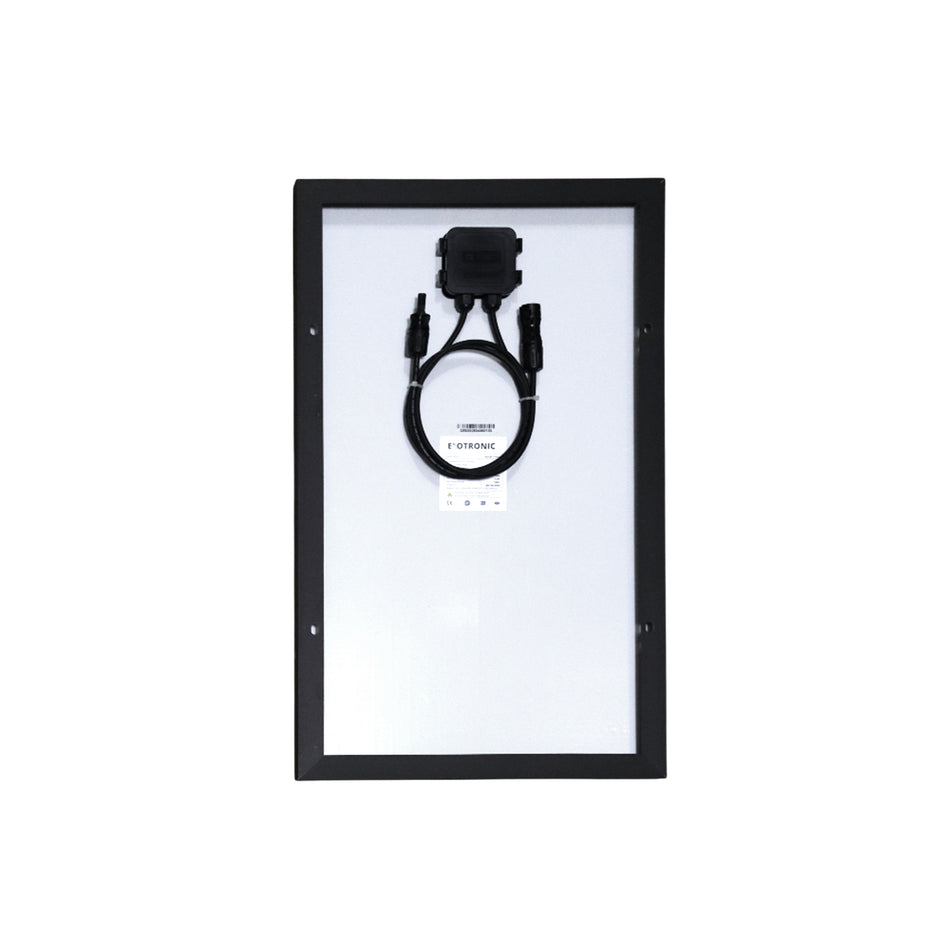
Attach the panel only through its factory mounting holes or approved frame-clamping areas. Do not drill additional holes, enlarge existing holes, notch or cut the frame, fasten through the glass or allow a clamp or fastener to press against the glass.
Unapproved frame modification can weaken the panel, damage its protective finish and affect safety or warranty coverage.
Where clamps are used, they must match the frame profile and engage the frame correctly. They must not touch the glass, shade active cells, block frame drainage openings or distort the aluminium extrusion. Use the specified number of clamps and keep them within the approved zones.
More tightening force is not safer. Excessive torque can deform the frame or load the glass, while insufficient torque can allow movement. Use the torque and locking method specified for the mounting components.
Keep the panel ventilated
Framed glass panels should normally be supported above the mounting surface rather than bonded flat across the rear of the panel. The air gap allows heat to escape, reduces heat transfer into the roof, supports drainage and provides space for cable routing and inspection.
Do not seal the complete perimeter or fill the ventilation space unless the exact panel and mounting arrangement specifically require it. Where several instructions specify different minimum clearances, use the largest applicable requirement.
Prevent galvanic and stray-current corrosion
Most framed glass panels, including the Exotronic range, use an anodised aluminium frame. Galvanic corrosion can occur when aluminium is electrically connected to a dissimilar metal while moisture, saltwater or contaminated water acts as an electrolyte. Stainless-steel fasteners, steel racks, copper conductors and other metals can all form part of a corrosion circuit when they are not correctly isolated. Damage is often concentrated where the aluminium finish has been scratched, drilled, clamped or penetrated.
Stray-current corrosion is a separate electrical fault and can progress much faster than ordinary galvanic corrosion. It occurs when DC current escapes from damaged, wet or incorrectly installed wiring and returns through the panel frame, brackets, roof, vehicle chassis, vessel structure or surrounding water. Water intrusion into a poorly assembled connector, cable gland, junction, cable entry or damaged insulation can create an unintended conductive path.


To reduce the risk:
- Do not mount an aluminium panel frame or bracket directly against an incompatible metal unless the complete joint is specifically designed for that contact.
- Use suitable non-conductive barriers, isolating washers, bushes or sleeves where required. Check the complete fixing: bolts, rivets, screw threads, washers and exposed edges must not bypass the isolation layer.
- Protect drilled holes, scratches, cut edges and damaged coatings, and do not create joints that trap saltwater, dirty water or condensation.
- Do not rely on paint, powder coating or a thin adhesive layer as the only electrical isolation unless the documented mounting system specifically permits it. Coatings can be damaged during tightening, movement or servicing.
- Keep the PV conductors electrically separate from the panel frame and mounting structure, apart from any deliberate bonding or earthing connection required by the complete electrical design.
- Never use the panel frame, mounting hardware, roof, vehicle chassis or vessel hull as the normal PV positive or negative current-return path.
- Use compatible PV connectors assembled with the correct contacts, cable size and tooling. Keep connections supported, strain-relieved and away from standing water.
- Weather-seal cable entries using components suited to the cable and surface. Replace damaged, contaminated, corroded or overheated connectors rather than attempting to make them serviceable with tape or external sealant.
Marine installations require additional attention because salt, continuous moisture, shore power, bonding arrangements and DC leakage can all contribute to corrosion. The panel frame, mounting hardware, DC negative, protective earthing, vessel bonding system, shore-power installation and sacrificial-anode system must be considered together. Do not add or remove bonding connections, protective earth conductors or galvanic-isolation equipment solely to address panel corrosion without advice from a competent marine electrician.
White aluminium oxide, pitting, blistered coatings, blackened or softened aluminium, green copper deposits, rapidly corroding fasteners, repeated corrosion shortly after installation or unexpected voltage between the panel frame and supporting structure should be treated as evidence of a mounting or electrical fault. Isolate the PV system and have both the mechanical and electrical installation inspected before returning it to service.
Use compatible fasteners and locking methods
Use fasteners, washers, backing plates and locking devices of the required grade and size. The fastening system must remain secure under vibration without crushing the panel frame, bracket or roof structure.
Do not combine spring washers, thread compound, locking nuts and excessive hand force without a documented reason. Lubricants, anti-seize products and thread compounds can change friction and therefore change the clamp force produced at a given torque.
Keep important fasteners accessible for inspection. A mounting system that cannot be checked or serviced is unsuitable for a vehicle or vessel expected to operate for many years.
Mounting methods
Exotronic mounting frames and brackets
Purpose-designed Exotronic mounting frames and brackets are our preferred solution for many caravan, RV, 4WD and marine installations. They provide a practical way to support framed glass panels while maintaining ventilation and access beneath the panel. Select a frame or bracket arrangement that matches the exact panel dimensions, frame depth, factory mounting holes or approved clamp zones, and the supporting structure.
Dry-fit the panel and mounting components before drilling or applying adhesive. Confirm that all mounting points align naturally and that the panel sits flat without forcing or twisting the frame.
The bracket-to-roof or frame-to-structure connection still requires its own verified structural and waterproofing method. A correctly fitted panel bracket does not make an unsuitable roof fixing safe.


Brackets using the factory frame holes
Corner, side and Z-style brackets may be suitable where they align with the panel's factory mounting holes. Confirm the hole diameter, fastener clearance, washer arrangement and available tool access before installation.
Bracket positions must suit both the exact panel and the supporting structure. Do not move brackets to unapproved frame locations simply because a roof member is easier to reach.
Bonded mounting feet or brackets
Bonded mounting feet can reduce roof penetrations, but the adhesive joint becomes a structural part of the installation. The adhesive must be suitable for the actual bracket material, roof material, roof coating, expected loads, service temperature, UV exposure, moisture and vibration.
Do not select an adhesive from a general strength claim alone. The documented process must cover both substrates, cleaning, abrasion where permitted, primer, bond thickness, open time, application temperature, humidity, cure time and environmental exposure.
- Prepare and test the actual roof surface, including its coating.
- Do not bond over chalking, oxidation, loose paint, polish, wax or contamination.
- Observe cleaner and primer flash-off times.
- Control adhesive thickness and bracket position.
- Keep the vehicle or vessel stationary and unloaded for the complete cure period.
- Do not drive, tow or launch the installation before curing and inspection are complete.
- Add mechanical retention where required by the roof, mounting design, adhesive instructions or engineering assessment.
A sealant and a structural adhesive do different jobs. A product that keeps water out is not automatically suitable for carrying aerodynamic uplift, and a structural adhesive joint may still require a separately designed weather seal.
Roof racks, canopies and marine hardtops
When mounting a panel to a roof rack, canopy or hardtop, confirm that the support frame is suitable for the panel mass and the dynamic and aerodynamic loads of the intended use.
Avoid long unsupported panel-frame spans and concentrated point loads. The support rails must be straight and coplanar so the panel is not twisted when the fasteners are tightened. Allow for controlled rack or canopy movement without allowing that movement to be transferred into the glass.
Clamps must not slide along round, smooth or coated bars. Cable routes must also remain protected from rack movement, cargo, sharp edges and branches.
Installation sequence
1. Confirm the complete design
Record the panel brand and model, Exotronic or other mounting components used, panel location, structural fixing points, fasteners, torque values, adhesive and sealant products, cable route and required cure conditions. Keep the current panel and mounting instructions with the installation records.
2. Inspect and mark the installation area
Measure the actual roof, rack or hardtop and mark structural members, mounting points, cable entry and exclusion zones. Check both sides of every proposed penetration. Stop and investigate if hidden wiring, plumbing or structure cannot be confirmed.
3. Dry-fit the complete assembly
Position the rails, brackets, mounting feet, cable entry and panel before applying adhesive or completing final tightening. Confirm that:
- the panel sits flat without being forced;
- the factory holes or approved clamp zones align correctly;
- the mounting structure is straight and coplanar;
- ventilation and drainage clearances are maintained;
- cables can be routed without sharp bends or strain;
- the panel can still be removed for service; and
- no hatch, awning, cargo or roof equipment can strike the panel.
4. Prepare all bonding and sealing surfaces
Work within the permitted temperature and humidity range for the selected cleaner, primer, adhesive and sealant. Follow the complete preparation process without substituting solvents, primers or abrasive methods.
Protect prepared surfaces from dust, moisture, fingerprints and excessive delay. Do not bond to loose, chalked, wet or incompatible coatings.

5. Install the roof attachments
Use the required fastener quantity, backing arrangement, embedment and edge distances. Keep drilling swarf away from the panel, roof and cable entry, and protect exposed metal where required.
Weather-seal penetrations using compatible components without blocking drainage paths. For bonded feet, control the adhesive bond line and allow the full documented cure.
6. Fit the panel without twisting it
Lift the panel with enough people to keep the glass and frame supported. Place it onto the completed mounting structure and start all fasteners or clamps before final tightening.
Tighten in the required sequence using a suitable torque tool. The panel should remain flat and unstressed throughout the process. Where visual movement checks form part of the maintenance plan, apply suitable witness marks after final tightening.
7. Route and protect the cables
Support the panel cables independently so their weight and movement do not load the junction box or connectors. Use suitable solar cable, and keep it clear of sharp edges, hot surfaces, moving equipment and areas where water or debris may collect.
Secure connectors so they cannot flap, rub against the roof or remain submerged. Complete the cable entry, strain relief, protection and electrical connection in accordance with the Solar Panel Wiring Guide.
8. Allow curing, then inspect and record
Keep the vehicle or vessel stationary for the complete cure period required by every bonded or sealed joint. Inspect the installation in good light before driving, towing, launching or energising the system.
Keep photographs, product information, torque values, adhesive batch details, cure conditions and electrical test results with the vehicle or vessel records.
Commissioning checklist
Do not drive, tow, launch or energise the completed installation until every applicable item has been checked.
- The exact panel model is suitable for the intended application.
- The roof, rack, canopy, hardtop or supporting structure has been verified.
- The installed panel remains within all permitted vehicle or vessel dimensions.
- The panel position avoids regular shading, heat sources and moving equipment.
- All brackets, rails, clamps, fasteners, adhesives and sealants are identifiable and compatible.
- Only the factory mounting holes or approved clamp zones have been used.
- The panel frame and glass have not been drilled, cut, notched or modified.
- The panel sits flat and unstressed.
- The required ventilation and drainage clearances are present.
- Dissimilar metals have been isolated where required, and fasteners do not bypass the isolation barriers.
- There is no unintended electrical continuity between either PV conductor and the panel frame, brackets, roof, chassis or hull.
- Fasteners have been tightened using the specified torque and locking method.
- Bonded joints have completed their full cure under suitable conditions.
- Roof penetrations and cable entries are mechanically secure and weather-sealed.
- Cables are supported, protected from abrasion and clear of heat and moving parts.
- PV connectors are compatible, fully assembled, strain-relieved and secured away from damage and standing water.
- Cable entries, glands and junctions are weather-sealed, dry and arranged so water cannot collect or track along the cable.
- Polarity, open-circuit voltage and other required electrical tests have been completed safely.
- No tools, loose fasteners, swarf or packing remain on or beneath the panel.
- Installation photographs, torque values, cure records and test results have been retained.
- The owner has been given an inspection and maintenance schedule.
After commissioning, check the completed installation for water ingress using a method suitable for the roof or vehicle. Do not direct high-pressure water at seals, connectors or the junction box.
Inspection and maintenance
Road vibration, salt, UV exposure, heat cycles, roof flex and impact can change an installation over time. Inspect the panel and mounting system after the first journeys, after rough-road travel, after severe weather, after an impact, after nearby roof work and before extended travel.
Marine installations and vehicles used on corrugated roads or in coastal areas should be inspected more frequently.
Check for:
- loose, missing, rotated or corroded fasteners and clamps;
- movement marks, fretting, distortion or cracking around brackets and roof attachments;
- lifting, cracking, voids or contamination in bonded joints;
- failed or separated sealant and signs of water ingress below the installation;
- cracked glass, a bent or separated frame, delamination, discolouration or hot-spot damage;
- a loose junction box, strained leads, damaged insulation or unsupported cables;
- connectors, glands or cable entries that are loose, wet, contaminated, corroded, overheated or exposed to standing water;
- white powder, pitting, blistered coatings or corrosion where the aluminium panel frame, fasteners and support structure meet;
- damaged isolation washers, sleeves or barriers, or fasteners that electrically bridge isolated components;
- blocked ventilation or drainage spaces; and
- new roof equipment, cargo or damage that shades, strikes or loads the panel.
Do not automatically retighten a fastener that has moved. First determine why it loosened and inspect the bracket, locking method, mounting surface and panel frame for damage. The same principle applies to lifted adhesive joints, cracked sealant and damaged roof surfaces.
If the panel rattles, shifts, lifts, produces unusual wind noise, has broken glass or damaged wiring, smells hot or burnt, or shows water entry, stop using the installation. Secure the vehicle or vessel away from people where practical and have the system made safe and inspected. Remember that a damaged panel can remain electrically live in daylight.
Common mistakes to avoid
- Selecting brackets before confirming the exact panel dimensions, frame profile and mounting points.
- Copying clamp positions, air gaps or torque values from a different panel.
- Drilling, cutting, notching or otherwise modifying the panel frame.
- Clamping outside the approved zones or allowing a clamp to touch the glass.
- Forcing the panel onto rails or brackets that are not straight and coplanar.
- Attaching brackets only to a thin roof skin without confirming the supporting structure.
- Bonding to dirty, oxidised, chalked, flaking, wet or incompatible surfaces.
- Using a weather sealant as a structural adhesive without documented approval.
- Driving, towing or launching before bonded joints have fully cured.
- Relying on a rack load rating without checking wind uplift and the complete load path.
- Bonding a framed panel flat to the roof and blocking ventilation or drainage.
- Allowing aluminium, stainless steel and other metals to contact each other without considering galvanic corrosion.
- Installing an isolation pad while allowing bolts, rivets or washers to bridge directly between the two metals.
- Relying on paint, powder coating or adhesive alone to electrically isolate incompatible metals.
- Using the panel frame, roof, chassis or hull as a PV current-return path.
- Ignoring wet connectors, damaged insulation or poor cable entries that can cause stray-current corrosion.
- Leaving cables to flap, rub or hang from the junction box.
- Using incompatible PV connectors or disconnecting connectors under load.
- Standing on the panel or using it as a roof-access platform.
- Completing the installation without photographs, torque records or a maintenance plan.
Frequently asked questions
Can I glue a framed glass panel directly to the roof?
Normally, no. A framed glass panel should generally be supported on brackets, rails or a mounting frame that maintains ventilation, drainage and service access beneath the panel. Bonding the complete rear surface directly to the roof can trap heat, block drainage and apply loads the frame and glass were not designed to carry.
Can mounting feet be installed with adhesive only?
Only where the complete mounting arrangement is suitable for the roof substrate, coating, environmental exposure and expected loads. This applies to Exotronic mounting feet and any other bonded mounting system. The adhesive process must be fully documented, including preparation, primer, bond dimensions, cure conditions and whether secondary mechanical retention is required.
Which adhesive or sealant should I use?
There is no single product that is suitable for every roof and bracket combination. Selection depends on the roof material and coating, bracket material, expected loads, movement, temperature, UV exposure, moisture, salt and future service requirements.
Choose the product from its documented suitability for the complete joint, not from a familiar name or a general strength claim. A structural adhesive and a weather sealant may both be required.
How large should the ventilation gap be?
Use the clearance specified for the exact panel and mounting arrangement. The correct gap depends on panel construction, bracket geometry and installation environment. Do not reduce the gap simply to make the panel sit closer to the roof.
Can I drill extra holes in the aluminium frame?
No, unless written instructions for that exact panel specifically permit it. Use the factory mounting holes or approved clamp zones. Drilling or altering the frame can weaken it, damage the protective finish and affect warranty coverage.
Can any glass solar panel be installed on a caravan, 4WD or boat?
Not automatically. Confirm that the exact panel is suitable for the intended mobile or marine application and that its size, mass and mounting requirements are compatible with the available structure. The supporting and mounting design must also be suitable for the expected vibration, wind and environmental exposure.
Can poor wiring cause the panel frame or mounting system to corrode?
Yes. Damaged insulation, incorrectly assembled connectors, wet cable entries, contaminated junctions or unintended contact between a PV conductor and the frame, roof, chassis or hull can allow DC leakage. This is more accurately described as stray-current corrosion and it can cause highly localised, rapid damage. Finding and repairing the electrical fault is essential; replacing the corroded bracket or adding sealant alone will not solve it.
Will a marine galvanic isolator protect the solar-panel frame?
Not necessarily. A galvanic isolator is intended to interrupt low-voltage galvanic current travelling through the shore-power protective-earth connection. It does not correct direct contact between incompatible mounting metals, damaged PV wiring, wet connectors, unintended DC leakage or an incorrectly designed bonding system. The actual corrosion path must be identified before selecting a remedy.
Do I still need the wiring guide?
Yes. Mechanical mounting is only one part of the installation. Read the Solar Panel Wiring Guide before connecting the panel to the controller, protection devices or battery system.
Related products and guides
- Fixed and framed glass solar panels
- Solar-panel selector table
- Solar-panel mounting brackets and frames
- Solar Panel Wiring Guide
- Solar cable and weatherproof cable-entry covers
- Flexible and lightweight panel mounting guide — for flexible panels rather than framed glass panels
Need help selecting a panel and mounting components?
Browse our fixed and framed glass solar panels and solar panel mounting brackets and frames. Our Exotronic mounting range is the preferred starting point for most installations, but every component must still match the exact panel, supporting surface and application. When installing a panel from another manufacturer, do not assume that Exotronic hole spacing, clamp locations or frame dimensions will automatically match. If compatibility cannot be confirmed from the available information, contact our team before beginning the installation.
For site-specific structural, electrical, marine-bonding or vehicle-modification decisions, use an appropriately qualified professional who can inspect the installation.